I would like to make a server where everyone could go. This server will be on my computer...
I followed this tutorial : https://wiki.unvanquished.net/wiki/Server/Running
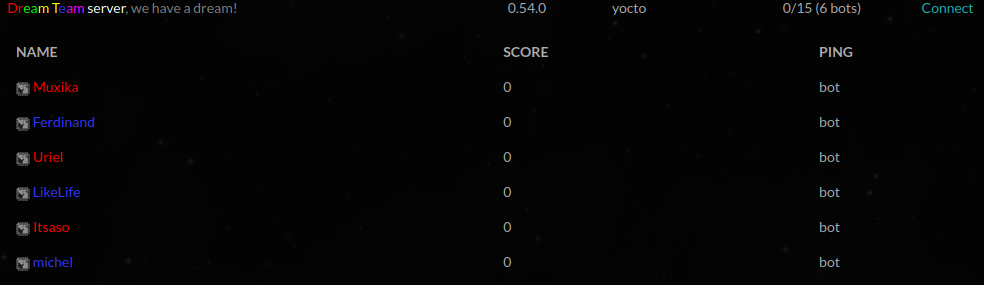
he did the server well, we can see it on the UNV site, as shown in this picture:
but in the list proposed by the game, my server does not appear. And when I press the "Connect" button of the unv site, it opens UNV but cannot connect to the server....
If the web server list properly fetches the server name and player list, I assume the port is properly opened.
If you're hosting the server on your own network and run the client on your own same network, you may not be able to connect to the server using the public IP address. While others would connect to it using the public IP address, you would have to connect with the local IP address. This is not something specific to Unvanquished, that would be the same with other games.
This comment is licensed under cc by 4 and antecedent. The Dæmon Crunch tool is awesome!
If the web server list properly lists the server name and the amount of players and things like that, you don't need to open more ports, everything already works correctly.
On your screenshot, the server is properly listed on web server list, it means your server is properly configured and you have nothing more to do to get other people join your server because it already works.
If you cannot join your own server yourself, it's not a server configuration issue. Try to join the server using the LAN tab instead.
This comment is licensed under cc by 4 and antecedent. The Dæmon Crunch tool is awesome!